The biggest problem beginners face when learning Python for data science in 2026 is not a lack of resources. It is too many resources.
They install half the Python ecosystem, save 40 tutorials to watch later, and still cannot finish one clean notebook that goes from raw data to a useful conclusion. Weeks pass. They feel like they are learning but have nothing to show for it.
This guide fixes that. It tells you exactly what to learn, in what order, how long each stage takes, and which free resources to use. Nothing unnecessary. Nothing premature. Just a clear path from your first Python script to your first data science job or project.
What This Guide Covers
- Why Python dominates data science in 2026
- The only libraries you actually need to start
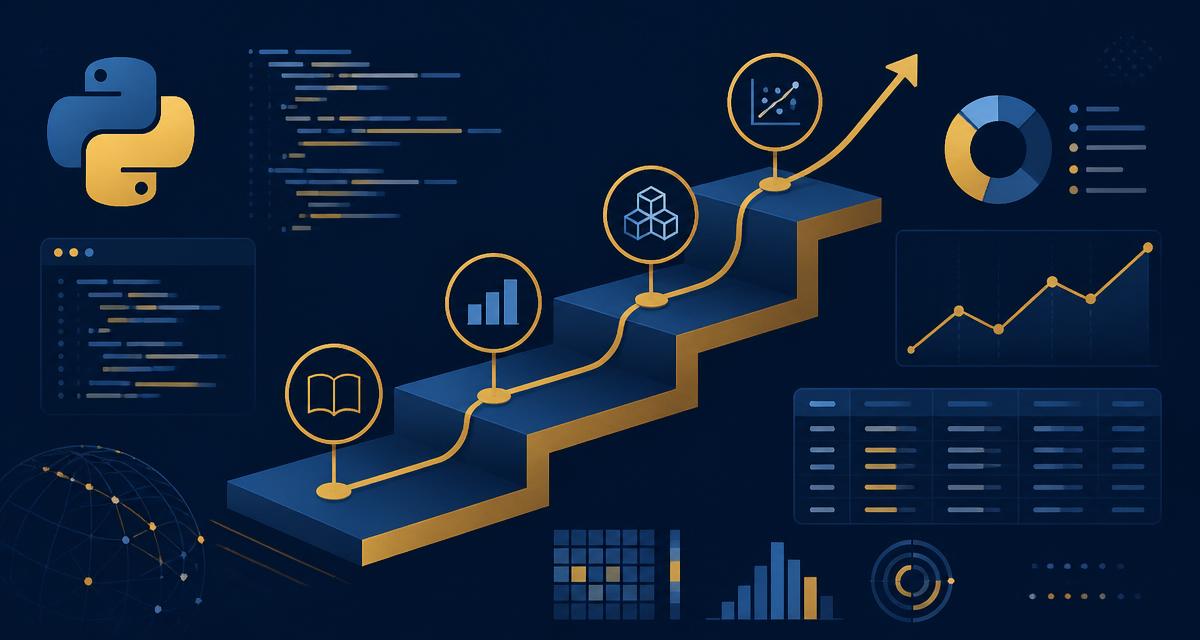
- A four stage learning roadmap with realistic timelines
- Free tools and where to practice
- What to build at each stage
- How to avoid the mistakes that keep most people stuck
- The Pakistan specific job market context
Why Python for Data Science in 2026
Python is the default language of data science and has been for several years. In 2026, that position is more secure than ever.
Python dominates data science because of its beginner friendly syntax, its enormous ecosystem of libraries built specifically for working with data, and its use by every major technology company including Google, Amazon, Netflix, and Meta. Every major data science framework, from pandas to TensorFlow to LangChain, is Python first.
Data science continues to be one of the most rewarding career paths in 2026, with demand growing fast as companies build AI powered products and lean on data for every major decision. Data scientists with generative AI and LLM skills are already earning noticeably more than those with only traditional machine learning experience, and that gap is expected to widen through 2026 and beyond.
One important clarification before you start: data scientists do not need advanced programming knowledge similar to software engineers. You need problem solving oriented Python skills. Variables, loops, functions, data manipulation, and the specific libraries that data scientists use daily. You do not need to build web apps or understand computer architecture.
The Core Libraries You Actually Need
This is one of the most important things to understand before starting.
You do not need 25 libraries to start data science. You need a small core stack, then a few additional libraries depending on the specific type of work you do.
If you are starting data science in 2026, the biggest problem is usually not too few tools. It is too many tools.
Here is the honest library priority list.
The Essential Four (Learn These First, In This Order)
NumPy is for working with numbers and mathematical operations on large datasets. Think of it as a super powered calculator. It handles arrays and matrix operations that are the mathematical foundation for everything else in data science. W3Schools has a beginner friendly NumPy tutorial at w3schools.com/python/numpy that covers the essentials with interactive examples.
Pandas is for organising, cleaning, and manipulating data in table format. If you have ever used Excel, pandas is like Excel but ten times more powerful and fully automated. You will use pandas to import CSV files, handle missing values, filter and group data, and reshape datasets. You will use it every single day as a data scientist. W3Schools covers pandas clearly at w3schools.com/python/pandas with runnable examples for every concept.
Matplotlib and Seaborn are for data visualisation. Nobody wants to look at a massive spreadsheet. Stakeholders and business leaders need charts and graphs. Matplotlib is the foundational plotting library. Seaborn builds on Matplotlib to create more attractive statistical visualisations with less code. W3Schools covers Matplotlib at w3schools.com/python/matplotlib_intro.asp and Seaborn concepts at w3schools.com/python/numpy/numpy_random_seaborn.
Scikit-learn is for machine learning. It provides clean, consistent implementations of every standard machine learning algorithm: linear regression, decision trees, random forests, support vector machines, k-means clustering, and dozens more. This is where data science becomes genuinely powerful.
The Next Level (After You Are Comfortable With The Four Above)
- TensorFlow or PyTorch for deep learning and neural networks
- Polars for faster data processing on large datasets, an excellent alternative to pandas gaining adoption rapidly in 2026
- Plotly for interactive visualisations
- SQLAlchemy for connecting to databases
- Hugging Face Transformers for working with large language models
What Not to Install Yet
When you are starting, do not install TensorFlow, PyTorch, Keras, Apache Spark, Dask, or any other advanced library. These are genuinely powerful tools. They are also genuinely premature for a beginner. Installing them before you need them creates confusion and does not accelerate your learning.
The Four Stage Learning Roadmap
This roadmap is designed so each stage builds on the previous one. Do not skip stages or mix stages together. The journey to becoming a data scientist with Python has changed significantly over the last year and the roadmap that worked in 2024 is not the same as what works in 2026.
Stage 1: Python Fundamentals (Weeks 1 to 4)
Goal: write Python code confidently. Not advanced software engineering. The specific Python skills data scientists actually need.
What to learn:
Variables and data types (strings, integers, floats, booleans, lists, dictionaries).
Control flow: if and else statements, for and while loops. You will use these constantly when processing data.
Functions: writing your own reusable functions. This is where Python moves from a calculator to a real tool.
File handling: reading and writing CSV files. This is how data arrives in the real world.
Basic error handling: understanding what error messages mean and how to fix them. This skill saves hours of frustration.
List comprehensions: a Python specific syntax that makes data transformation concise and readable.
What you do not need at this stage: object oriented programming, classes, decorators, generators, or advanced Python concepts. These are real Python skills but they are not what data scientists need in their first months.
Where to learn for free:
CS50P by Harvard is the best free Python course available. It is taught by the same instructor as CS50x, covers exactly what you need without excess, and produces genuinely competent Python programmers. Available completely free at cs50.harvard.edu/python.
W3Schools Python tutorial at w3schools.com/python is excellent for quick reference while learning. Every concept has a "Try it Yourself" editor so you can run code in your browser without any local setup. Use it alongside CS50P to look up syntax instantly.
freeCodeCamp's Python for Data Science course on YouTube is an excellent alternative if you prefer video instruction. It is 12 hours and covers everything in Stage 1 and parts of Stage 2.
What to build: a simple data processing script. Download any CSV file (weather data, sports statistics, population data) from Kaggle, write a Python script that reads it, filters some rows based on conditions, calculates some summary statistics, and prints the results. No libraries needed yet. Pure Python only.
Stage 2: The Core Data Science Stack (Weeks 5 to 12)
Goal: become genuinely comfortable with NumPy, pandas, Matplotlib, and Seaborn. These four libraries are what data scientists use for the majority of their daily work.
What to learn:
NumPy: array creation, indexing, slicing, mathematical operations, broadcasting. The goal is understanding arrays as the fundamental data structure rather than Python lists.
Pandas: Series and DataFrames, importing data from CSV and Excel, handling missing values, filtering and selecting data, groupby operations, merging datasets, time series basics. Every good data science roadmap dedicates significant time entirely to pandas and NumPy. Budget at least two to three weeks here.
Matplotlib: line charts, bar charts, scatter plots, histograms. Understanding figure and axes objects. Customising plots with titles, labels, and formatting.
Seaborn: distribution plots, correlation heatmaps, categorical plots. Creating publication quality visualisations with less code than Matplotlib alone.
Jupyter Notebooks: Jupyter still sits at the centre of the data science workflow because notebooks are built for interactive computing with live code, narrative text, equations, and visualisations. Learn how to create, run, and organise notebooks. All your Stage 2 practice should happen in Jupyter.
Where to learn for free:
Kaggle's free Python and Pandas courses (kaggle.com/learn) are the best structured introduction to these libraries available. They run entirely in the browser, require no local setup, and are consistently rated the clearest beginner resources for these specific libraries.
W3Schools is excellent for quick reference and practice: NumPy, pandas, and Matplotlib. Every example has a "Try it Yourself" editor that runs code in the browser, which makes it ideal for checking syntax quickly without opening your local environment.
The official documentation for NumPy, pandas, Matplotlib, and scikit-learn presents exactly these roles: array computing, tabular analysis, visualisation, and predictive modelling. Read the getting started sections of each. Learning to read documentation is itself a career skill.
What to build: two complete data analysis projects. Each project should start with a raw dataset, end with a clear conclusion and visualisations, and be saved as a Jupyter notebook. Good datasets for Stage 2: World Bank economic indicators, Kaggle's Titanic survival dataset, or any sports statistics dataset that interests you.
The completion of the notebook matters more than the sophistication of the analysis. A clean notebook that goes from raw data to a conclusion with three clear visualisations is more impressive to an employer than a messy one that uses ten libraries.
Stage 3: Machine Learning With Scikit-learn (Weeks 13 to 20)
Goal: build, evaluate, and improve predictive models using real datasets.
What to learn:
Supervised learning: regression (predicting a number) and classification (predicting a category). Linear regression, logistic regression, decision trees, and random forests are the four models every data scientist must know deeply.
Model evaluation: train and test splits, cross validation, confusion matrices, precision, recall, F1 score, ROC curves. Understanding what these metrics mean and when to use each one is more important than knowing how to implement algorithms.
Feature engineering: transforming raw data columns into better inputs for machine learning models. Encoding categorical variables, handling missing data, normalising numerical features.
Hyperparameter tuning: Grid Search and Randomised Search to improve model performance.
Pipelines: combining data preprocessing and model training into reproducible workflows using scikit-learn Pipelines. This is how production quality data science actually works.
Model persistence: saving trained models to disk so they can be used without retraining.
Where to learn for free:
Andrew Ng's Machine Learning Specialization on Coursera is free to audit and remains the best structured introduction to machine learning concepts. It uses Python throughout. Complete this alongside your practical scikit-learn work.
Fast.ai's practical machine learning course (fast.ai) takes a different approach by showing you working models immediately and explaining the theory afterward. Some learners find this more motivating than learning theory first.
What to build: two machine learning projects. The customer churn prediction project (using Kaggle's Telco dataset) is particularly valuable because it teaches classification, imbalanced datasets, and business framing simultaneously. The house price prediction project (Ames Housing dataset on Kaggle) teaches regression and feature engineering deeply.
For both projects, write a README that explains not just what the model does but what a business could do with the output. This business framing is what separates data scientists from programmers who can run machine learning code.
Stage 4: Deployment, AI Integration, and Specialisation (Weeks 21 to 28)
Goal: move from notebooks to production. Add AI skills that increase your market value significantly.
What to learn:
FastAPI for serving your trained models as APIs. A model that only runs in a notebook is not a product. A model that accepts a request and returns a prediction via API can be integrated into any application. This skill is explicitly mentioned in Pakistani data science job listings in 2026.
MLflow for experiment tracking. When you have trained 50 models with different parameters, you need a way to record what you tried and what worked. MLflow is the standard tool for this.
Docker basics for containerising your projects so they run consistently on any machine or cloud server. W3Schools has a beginner friendly Docker introduction at w3schools.com/docker that explains containers without assuming prior DevOps knowledge.
LLM integration: how to combine traditional data science with large language models. This is the skill that produces significantly higher salaries in 2026. A data scientist who can build a retrieval augmented system on top of a company's data, or integrate a frontier model into an analytics pipeline, commands meaningfully higher compensation than one who only knows traditional ML.
Specialisation: choose one domain to go deeper in. Options with strong demand include fintech (fraud detection, credit scoring), healthcare (medical data analysis), EdTech (learning analytics), and AI engineering (LLM applications). Domain specialisation dramatically increases your value to employers in that sector.
Where to learn for free:
FastAPI documentation (fastapi.tiangolo.com) is excellent and has tutorials specifically for deploying machine learning models.
MLflow documentation and quickstart guide (mlflow.org) covers everything you need for experiment tracking.
DeepLearning.AI's free short courses cover LLM integration specifically and are taught by the people who built these systems.
What to build: one end to end project that goes all the way from raw data to a deployed API. Take a completed model from Stage 3, wrap it in a FastAPI endpoint, track the experiment with MLflow, and deploy it to a free cloud platform (Render or Railway both have free tiers). Document the entire process in your GitHub README.
This project is the one you talk through in interviews. Being able to say "here is the model, here is the API endpoint, here is how you call it, here is how I would monitor it in production" puts you in a different category from candidates who only have notebook projects.
The Tools You Need
Anaconda or Miniconda
Install Anaconda or Miniconda to manage your Python environment. This prevents the dependency conflicts that drive many beginners to give up. Anaconda comes with most data science libraries pre installed. Miniconda is lighter and you install only what you need. Download from anaconda.com or docs.conda.io. Both are free.
Jupyter Notebook or JupyterLab
Install with conda install jupyter or pip install jupyter. For Stage 2 onward, do all your work in Jupyter notebooks. They allow you to run code in small chunks, see outputs immediately, and combine code with written explanations in the same document. JupyterLab is the newer version with a better interface. Either works.
VS Code With the Python Extension
For Stage 3 and beyond, use VS Code alongside Jupyter. VS Code handles regular Python scripts, Git integration, and debugging better than Jupyter alone. Install the Python extension from Microsoft and the Jupyter extension. Download free from code.visualstudio.com.
Kaggle Account
Create a free account at kaggle.com. You will use Kaggle for free datasets that are clean, documented, and real, for Kaggle Notebooks as a free cloud based Jupyter environment (important for students with limited laptop RAM), for free structured courses on pandas, SQL, and machine learning, and optionally for competitions to benchmark your skills globally.
Free Learning Resources at Each Stage
| Stage | Best Free Resource | What It Covers |
|---|---|---|
| Python fundamentals | CS50P (Harvard) cs50.harvard.edu/python | Complete Python for beginners |
| Python quick reference | W3Schools w3schools.com/python | Syntax, examples, try it editor |
| NumPy basics | W3Schools w3schools.com/python/numpy | Arrays, operations, indexing |
| Pandas basics | W3Schools w3schools.com/python/pandas | DataFrames, cleaning, groupby |
| Matplotlib | W3Schools matplotlib_intro.asp | Charts, plots, customisation |
| Core libraries | Kaggle Learn kaggle.com/learn | pandas, NumPy, visualisation |
| SQL basics | W3Schools w3schools.com/sql | Queries, joins, aggregations |
| Machine learning | Andrew Ng, Coursera free audit | ML theory and practice |
| Deep learning | Fast.ai fast.ai | Practical neural networks |
| LLM integration | DeepLearning.AI learn.deeplearning.ai | Applied LLM skills |
| Deployment | FastAPI docs fastapi.tiangolo.com | Building ML APIs |
| Datasets | Kaggle kaggle.com | Thousands of free datasets |
| Practice | Jupyter jupyter.org | Interactive coding environment |
Common Mistakes That Keep People Stuck
Mistake 1: Learning Tools Instead of Solving Problems
The most important mindset shift is this: stop learning tools and start solving problems. One completed notebook that analyses a real dataset and reaches a useful conclusion teaches more than 50 saved tutorials. After each tutorial or course section, close it and try to apply what you learned to a real dataset without looking back. If you cannot, that is useful information about what you still need to review.
Mistake 2: Installing Too Many Libraries Too Early
Beginners often install TensorFlow, PyTorch, LightGBM, XGBoost, and a dozen other libraries in week one because they seem important. This creates confusion about what to use when and slows the learning of fundamentals that all these libraries depend on. Stick to the essential four in Stage 2. Add others when you have a specific reason to.
Mistake 3: Learning in Isolation From Real Data
Practicing only on clean, perfectly formatted tutorial datasets creates a false sense of competence. Real data is messy. It has missing values, wrong data types, inconsistent formatting, and unexpected content. Find real datasets on Kaggle from the beginning and work through the messiness.
Mistake 4: Not Documenting Your Work
Every Jupyter notebook you create should have markdown cells explaining what you are doing and why. Every GitHub repository should have a README. This habit forces you to understand what you are doing well enough to explain it, and it produces a portfolio that employers can actually evaluate.
Mistake 5: Skipping Statistics
Python libraries make it easy to run machine learning models without understanding the statistics behind them. This creates a shallow understanding that breaks down in interviews and in production. Spend time understanding what a p value means, what confidence intervals represent, why a model is overfitting, and when to use different evaluation metrics. Khan Academy's statistics course is free and covers everything you need. W3Schools also has a practical statistics tutorial at w3schools.com/statistics that bridges statistical theory directly to code.
The Pakistan Specific Picture in 2026
Pakistan's data science job market is real and growing. Banks, telecoms, fintech companies, and software houses are all hiring for data skills. The sectors with strongest demand are fintech (fraud detection, credit scoring), healthcare analytics, e-commerce recommendation systems, and AI powered software products.
For Pakistani data scientists, the freelancing path on Upwork is particularly viable. International clients pay significantly more than local market rates, and the exchange rate multiplier means a data scientist earning 30 to 50 dollars per hour is earning roughly Rs 8,000 to Rs 14,000 per hour at current exchange rates.
The skills that command the highest rates in the Pakistani market in 2026 combine traditional data science with AI integration. A data scientist who can build a machine learning model, deploy it as an API, and also integrate it with LLMs for a complete AI powered product is significantly more valuable than one who can only do the modelling part.
Your Month by Month Action Plan
| Month | Focus | Milestone |
|---|---|---|
| Month 1 | Python fundamentals | Write scripts that process CSV files without libraries |
| Month 2 | NumPy and pandas | Clean and analyse a real dataset end to end |
| Month 3 | Matplotlib, Seaborn, Jupyter | Two complete analysis notebooks with visualisations |
| Month 4 | Scikit-learn basics | Train and evaluate your first classification model |
| Month 5 | ML projects | Customer churn and house price prediction projects |
| Month 6 | Deployment and APIs | Trained model served as a FastAPI endpoint |
| Month 7 | LLM integration basics | Data analysis tool with AI assisted insights |
| Month 8 | Specialise and apply | Domain focus, GitHub portfolio, start applying |
Frequently Asked Questions
Do I need a mathematics degree to learn Python for data science? No. You need conceptual understanding of statistics, linear algebra, and probability at an applied level, not a research level. Khan Academy covers all the mathematics you need completely free. Understanding what a model is doing matters more than being able to derive the equations from scratch.
How long does it take to get a data science job after starting from zero? The roadmap above takes 6 to 9 months of consistent daily practice. Most people who study 1 to 2 hours per day reach a level where they can apply for data analyst or junior data scientist roles after completing Stages 1 through 3. Data scientist roles typically require Stage 4 skills as well.
Is Python enough or do I need R as well? Python is enough for the vast majority of data science roles in Pakistan and globally. R is used in some academic and statistical research contexts. Unless you are specifically targeting academic or clinical research roles, focus on Python.
Do I need to learn SQL as well? Yes. SQL is the language used to query data from databases, which is how most real world data is stored. It is not in this roadmap because it is a separate language from Python, but you should learn basic SQL alongside your Stage 2 Python work. W3Schools has a complete free SQL tutorial that covers everything a data scientist needs. Kaggle's free SQL courses are also excellent for practice with real datasets.
Should I learn TensorFlow or PyTorch? In 2026, PyTorch is the more widely adopted framework in research and increasingly in production. For deep learning roles in Pakistan, PyTorch experience is marginally more common in job listings. However, this should only be considered after you are comfortable with scikit-learn and have completed at least two machine learning projects.